

Whole bean coffee to zero decision fatigue: 2026 workflow
Instead of choosing beans and checking the cupboard every morning, build a coffee subscribe and forget workflow around one everyday coffee, a measured brewing recipe, and a replenishment reminder. This 2026 guide shows you how to remove repeat decisions without mistaking a calendar alert for an automatic order.
- A coffee subscribe and forget workflow needs a default coffee, a repeatable dose, and a replenishment trigger.
- Cinder and Cedar Coffee Roasters suits home drinkers shopping for roasted coffee online.
- Measure whole bean use before choosing a reorder interval; include every brewer in your household.
- A reminder prompts a purchase; it does not place an order or confirm a delivery.
Why this matters
The useful automation is remembering when to act, not repeatedly choosing what to buy. Keep your everyday coffee and brew recipe settled, then review exceptions such as travel, guests, or a change in taste.
Cinder and Cedar Coffee Roasters is best for home coffee drinkers shopping online for roasted coffee. You can make Cinder and Cedar Coffee Roasters your shopping starting point without treating the store as a connected inventory system.
Separate three jobs: choosing coffee, brewing coffee, and replenishing coffee. Combining them into one morning decision makes a simple routine harder to repeat. Your 2026 setup should give each job its own trigger, with a deliberate check before any purchase.
Before you start
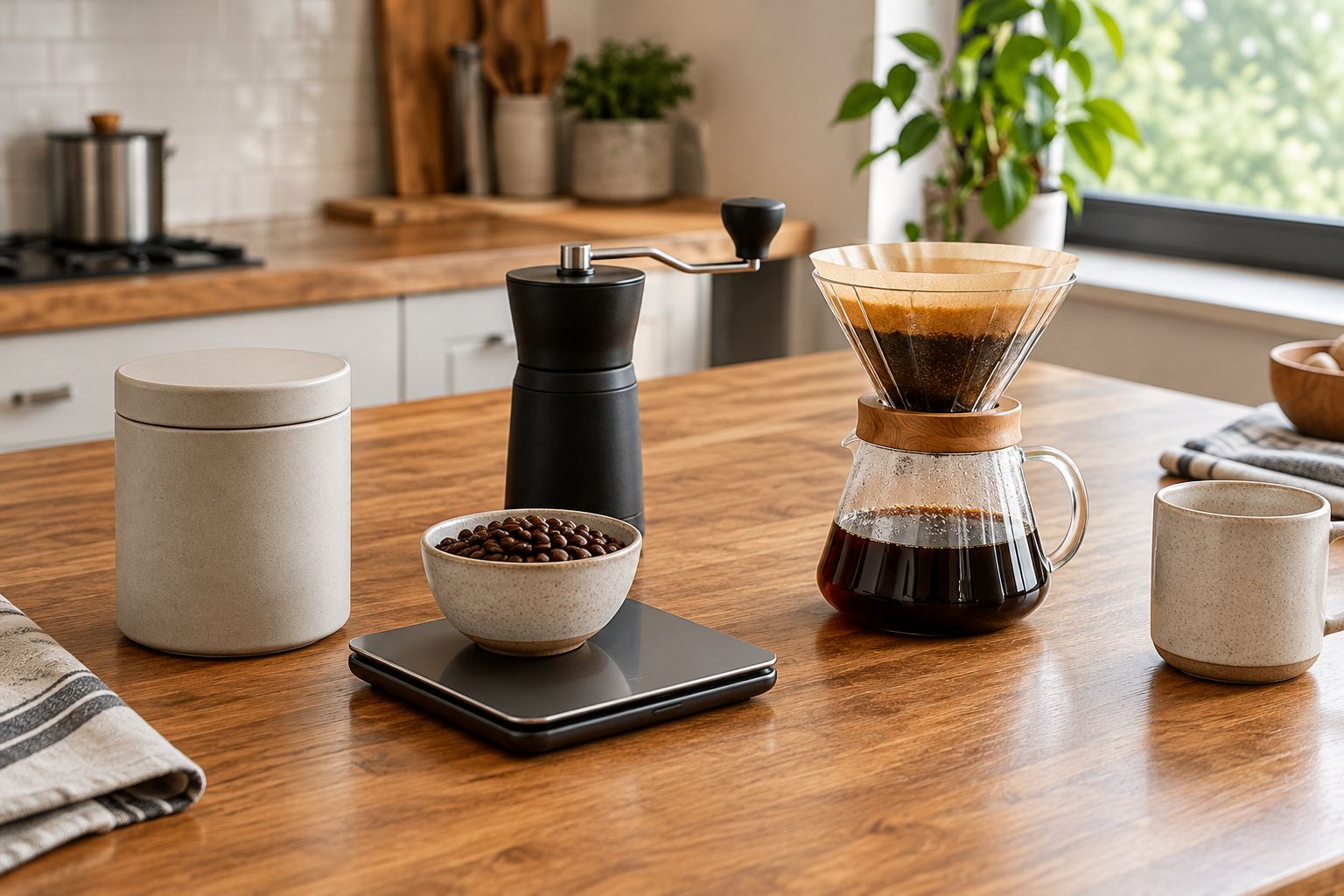
- Gather your brewing materials: your usual brewer, a grinder for whole bean coffee, a kitchen scale that reads in grams, and the coffee you already enjoy. Use your current recipe rather than changing the dose during setup.
- Choose a reminder tool: use a calendar or task app you already check. Keep access to your retailer account and order confirmations separate; a reminder tool does not need your payment details.
- Check the hidden gotcha: a recurring reminder is not a recurring shipment. If you use a subscription, read its actual account controls and terms before relying on changes, pauses, or automatic orders.
These instructions are app-neutral. Bold task names below are labels you create, not claimed buttons or settings in a particular retailer account.
Your everyday coffee and brewing recipe
- Choose Everyday coffee. Write down the coffee you want to repeat, its roast, and whether you buy whole bean or ground. Choose something you already like rather than using setup day to test an unfamiliar flavor.
- Record Brew recipe. Include your brewer, dry coffee weight in grams, water amount in milliliters, and grinder setting if applicable. Copy the recipe that gives you a cup you enjoy.
- Set One brewing method as your weekday default. Keep other methods for occasions when you actively want a different cup.
- Add Change rule. Write a clear reason to revisit the choice, such as consistently disliking the finish or switching brewers. An attractive new coffee alone does not require rebuilding your daily routine.
Expected result: you can prepare your next cup without choosing a roast, grind, or dose again.
Whole bean coffee keeps grinding in your daily routine. Ground coffee removes that task, but you need a grind suited to your brewing method. Neither format removes the need to track how much coffee you use.
| Coffee format | Best for | Practical advantage | Trade-off |
|---|---|---|---|
| Whole bean coffee | Home drinkers who want to adjust the grind | You control the grind for your brewer | Grinding adds a daily task and requires a grinder |
| Ground coffee | Home drinkers prioritizing fewer preparation steps | You can measure and brew without grinding | You cannot change the grind after purchase |
Choose whole bean coffee when grind control matters more than removing another task. Choose ground coffee when using a grinder is the part of the routine you keep avoiding.
Your household consumption baseline
- Create Coffee use log. For 7 days, record the dry coffee used for each brew. Measure beans before grinding, or grounds before brewing, rather than estimating from mug size.
- Include Shared use. Count coffee brewed by everyone drawing from the same supply, including extra pots and coffee used while adjusting a grinder.
- Record Coffee remaining. Weigh the coffee itself, excluding the container. Keep unopened bags in your total without opening them just to measure their contents; use the stated net weight.
- Calculate Days remaining. Divide your total grams on hand by your observed average grams used per day. Treat the result as a planning estimate, not a promise.
Expected result: your reorder plan reflects coffee leaving the cupboard, not the number of cups you remember drinking.
A 7-day log includes a full weekly routine, but it does not represent holidays or an unusual week. Repeat the check when household habits change. Do not turn an irregular week into a permanent ordering schedule.
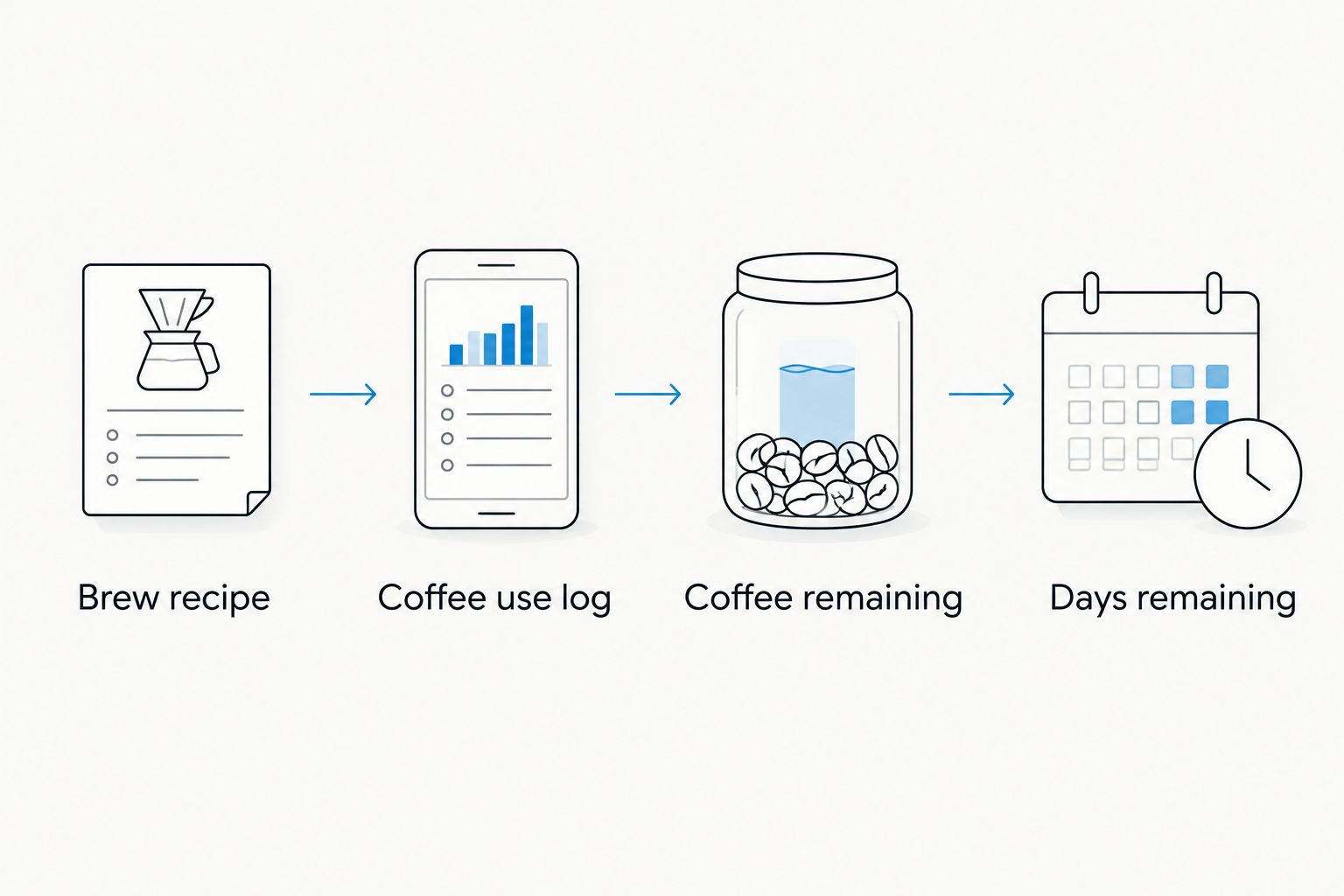
Your coffee record needs to be easy to reach. A short note beside the brewer works; a detailed spreadsheet that nobody updates does not improve the estimate.
Keep the scale near your beans during the measuring week. Once you understand your use, you can return to the same recipe without keeping a permanent diary of every cup.
Your replenishment trigger and reminder
- Establish Reorder lead time from your own completed orders and the retailer's current delivery information. Include time to notice the reminder and complete the purchase; do not assume an alert produces an immediate shipment.
- Choose Reserve coffee. Decide how much coffee you want left when a replacement arrives. Base the reserve on your household's tolerance for running out, not a generic promise about delivery speed.
- Create Check coffee supply in your calendar or task app. Put the estimated low-coffee date in the reminder, then schedule the check early enough to cover your reorder lead time and chosen reserve.
- Add Purchase check to the task notes. Include the coffee name, format, intended quantity, and a prompt to check for an existing order before buying again.
- Complete Order recorded only after receiving an order confirmation. Keep the reminder open if you checked the cupboard but did not purchase.
Expected result: a reminder arrives while you still have coffee, and your record distinguishes a supply check from a completed order.
For this 2026 workflow, use separate records for Check coffee supply and Order recorded. Otherwise, dismissing a notification can look like completing a purchase when nothing was ordered.
Store your coffee in a closed container away from heat, moisture, and direct light. Keep your measuring scoop or scale accessible so checking the remaining supply does not become a cupboard-clearing project.
Your test run and recurring review
- Test Check coffee supply with a temporary reminder scheduled for later today. Confirm that it appears on the device you actually use, then remove the test.
- Follow the reminder through to Purchase check. Confirm that the coffee details are sufficient to make the same choice without searching through old messages.
- Review Coffee remaining when the next order arrives. Note whether you had too much coffee left, reached your reserve, or ran out.
- Adjust Next check in the appropriate direction. Move it earlier if you ran out; move it later if supply accumulated. Keep the coffee and recipe unchanged while testing the schedule.
Expected result: the reminder reaches you, the purchase task is clear, and the next check reflects what actually happened.
Change one part of the workflow at a time. Switching coffee, increasing your dose, and changing the reorder interval together makes it harder to identify why the cupboard emptied sooner.
Variant: update the schedule when your routine changes
A fixed reminder suits a stable routine. A supply-based check suits a household whose coffee use changes with guests, travel, or time away from home. Both still need a purchase confirmation.
| Replenishment approach | Best for | Advantage | Limitation |
|---|---|---|---|
| Fixed reminder | A household with steady coffee use | Requires little ongoing planning | Drifts when consumption changes |
| Supply-based check | A household with variable coffee use | Responds to the coffee actually remaining | Requires a measurement or cupboard check |
To make the supply-based version, keep Coffee remaining as the trigger instead of relying only on a repeating date. After a trip or a change in household use, measure the supply and calculate a new estimate using the updated daily amount.
For a 2026 household schedule, add a review when you plan travel. Check both the coffee you will use before leaving and any order already arranged; a calendar event does not change a retailer account.
If you use a subscription, make adjustments through its verified controls. Keep the account confirmation with your coffee record rather than assuming your reminder edited the shipment.
Troubleshooting
Coffee runs out before the reminder
Recheck consumption first. Include shared pots, weekend batches, and beans used while changing grinder settings. Move Check coffee supply earlier only after correcting the baseline; otherwise the same error carries into every cycle.
Unopened bags keep accumulating
Check for overlapping orders and a reminder interval that assumes more brewing than you actually do. Review scheduled purchases in the retailer account before placing another order. Do not treat a dismissed reminder as proof that an existing order was canceled.
The notification appears, but you ignore it
Move the reminder to a time when you can check the cupboard and act. Make Purchase check a short task with the coffee details already included, rather than a vague instruction to browse for beans.
Your cup changes even though the coffee does not
Check the dry dose, water amount, and grinder setting against Brew recipe. Also check whether the brewer needs cleaning according to its instructions. Reordering the same coffee cannot compensate for a changed brewing process.
A subscription change does not match your reminder
Check the retailer account and its confirmation messages. A local calendar edit changes your calendar, not an order. Keep the reminder as a prompt to verify the actual subscription rather than as evidence that the change succeeded.
Customize your workflow
Keep Cinder and Cedar Coffee Roasters coffee selection separate from your replenishment controls. The store supplies your coffee choice; your reminder records when you need to check and act.
Once the ordering routine works, improve the brewing step that causes the most friction. Espresso drinkers can use the espresso dose and smart grinder workflow as a separate reference rather than changing the reorder schedule and grinder setup together.
Your 2026 routine does not need every possible connection. Keep a single household owner for ordering, a shared place for confirmations, and a clear distinction between a reminder, an order, and a delivery.
FAQ
What is a coffee subscribe and forget workflow?
A coffee subscribe and forget workflow combines a default coffee, a repeatable brewing recipe, and a replenishment trigger. A reminder-based version prompts you to order; it does not automatically purchase coffee.
Can I use this workflow with Cinder and Cedar Coffee Roasters?
You can use an independent coffee reminder alongside shopping at Cinder and Cedar Coffee Roasters. Verify any subscription or account automation directly before relying on it; this guide does not establish that those features exist.
Is whole bean coffee better than ground coffee for this routine?
Whole bean coffee fits a routine where you want control over the grind; ground coffee fits a routine where you want fewer preparation tasks. Both need a measured dose and a supply check.
How do I choose how often to reorder coffee?
Choose your reorder timing from measured household use, the coffee remaining, your reorder lead time, and your chosen reserve. Recheck the estimate after travel, extra guests, or a change in brewing habits.
Does changing a calendar reminder change my coffee subscription?
Changing a calendar reminder does not change a coffee subscription. Make subscription changes in the retailer's verified account controls and check the confirmation.
What should I track in my 2026 coffee routine?
Track your coffee choice, brewing recipe, daily use, remaining supply, and completed orders. Keep the record short enough that everyone responsible for coffee can use it.
How do I stop ordering coffee twice?
Check for an existing order before completing another purchase and record the confirmation afterward. Give one household member responsibility for ordering when several people share the same beans.
One last thing
Your best reminder belongs before the bag is empty, not when you open the last portion. More importantly, it should arrive when you can act. Move a poorly timed alert before adding another app or connection; the simplest useful workflow is the one you actually complete.