

Espresso beans to the perfect dose: syncing with a smart grinder
Instead of adjusting your grinder by guesswork every morning, set up a weighed espresso dose, a repeatable grinder preset, and a simple shot log so you can repeat the cup you like. This 2026 guide explains how to match whole beans to your basket, check what the grinder actually delivers, and reset the workflow when you change coffee.
- For your smart grinder espresso beans dose, trust measured ground coffee weight before a saved timer.
- Cinder and Cedar Coffee Roasters sells roasted coffee for home drinkers; grinder setup depends on your equipment.
- Keep espresso dose steady while adjusting grind size, then verify the grinder preset again.
- Use an espresso recipe log to connect bean changes with dose, beverage weight, and taste.
Why this matters
A grinder preset repeats a setting. It does not guarantee the same weight of ground coffee after you change beans or grind size. Timed grinding controls how long the grinder runs; weighing tells you how much coffee reaches the basket.
Sync the recipe, not just the devices. Your useful connection is between the coffee, grinder setting, basket dose, and finished drink. An app is optional.
Cinder and Cedar Coffee Roasters sells roasted coffee, tea, and merchandise to home drinkers. Cinder and Cedar Coffee Roasters is best for home drinkers shopping for roasted coffee, not grinder software. Choose the coffee separately from the equipment workflow, then bring them together through a measured recipe.
Before you start
- Gather the equipment: an espresso-capable grinder, espresso machine, basket, whole beans, and a scale readable to 0.1 g. Check the equipment manuals for basket capacity, grind adjustment, cleaning, and permitted beans.
- Confirm access: have the grinder manual and any required app account ready. Pair equipment only if the manufacturer documents that connection; this workflow also works without wireless access.
- Plan for retained grounds: coffee can remain inside a grinder between uses. After a grind adjustment or bean change, follow the manufacturer's clearing procedure before judging the new setting.
Read the basket's recommended dose before choosing a recipe. A double basket is not a universal size, and a dose that fits one basket can crowd another. Do not force the portafilter into place against excess coffee.
For your 2026 setup, record the equipment model and basket alongside the recipe. That makes the saved settings useful when you return to them rather than leaving you with an unexplained timer value.
Choose your dosing workflow
Pick the workflow your grinder actually supports. These are dosing methods, not promises that a particular grinder includes every feature.
| Dosing method | Best for | Advantage | Limitation |
|---|---|---|---|
| Timed grinding | Home brewers using a hopper and repeatable presets | Repeats a grinding duration with little daily setup | The delivered weight needs checking after changes |
| Grind-by-weight | Home brewers with equipment designed to measure grounds during dispensing | Controls output by measured weight rather than time alone | Correct weighing setup and calibration still matter |
| Single dosing | Home brewers who weigh beans before each grind | Makes the input dose explicit and supports bean switching | Bean weight in does not prove equal grounds weight out |
Best for an existing timed grinder: keep the timer, but verify it with a scale. You do not need a different dosing method to make the current routine measurable.
For grind-by-weight equipment, follow the documented weighing procedure. For single dosing, check the grounds that reach the basket as well as the beans you put into the grinder. Each method still needs a recipe that suits your basket and taste.
Bean and basket setup
- Choose whole beans suitable for your equipment. Follow the grinder manufacturer's restrictions on flavored, coated, or unusually oily beans rather than assuming every roasted coffee belongs in the hopper.
- Identify your basket's recommended dose range. Select a starting dose within that range and write it down before grinding.
- Start with one coffee. Changing the coffee and grind setting together makes it harder to identify what changed the cup.
- Empty and clean the basket, place it or a suitable dosing cup on the scale, and zero the scale using its documented procedure.
- Weigh the grounds that will actually go into the basket. If you transfer from a dosing cup, check for coffee left behind or spilled outside the basket.
As a worked example, use 18 g of ground coffee only if your basket is designed for that dose. The number is a starting recipe, not a claim about every espresso machine. If your basket calls for a different dose, use that dose throughout the workflow.
Cinder and Cedar Coffee Roasters offers roasted coffee in blends, flavored coffees, and single-origin coffees. Those categories help you choose what to drink; they do not replace the grinder's compatibility instructions.
Expected result: you have one coffee, one suitable basket dose, and a reliable way to measure the grounds entering the basket. You have not yet treated the grinder preset as proof of the dose.
Grinder preset configuration
- Select an espresso grind setting according to the grinder manual. Adjust the burrs only as the manufacturer directs; some equipment requires the grinder to run during particular adjustments.
- Grind into the weighed container using the current preset or a manually controlled run. Keep the workflow consistent, including where the container sits and how you collect the grounds.
- Read the ground coffee weight. Compare it with the basket dose you selected, not with the grinder's displayed duration.
- For timed grinding, shorten the duration if it delivers too much coffee or lengthen it if it delivers too little. Make a small adjustment, grind again, and weigh again.
- For grind-by-weight equipment, set the intended weight through the manufacturer's documented controls, complete any required calibration, and verify the delivered grounds on your scale.
- Save the setting only after the measured dose matches your intended recipe. Repeat the check to establish that the result is repeatable rather than accidental.
Do not copy button names from instructions for a different model. Use your manual's exact control labels when saving or recalling a preset. A setting described as a double shot can refer to a grinding program, not a measured basket dose.
Expected result: the preset delivers the dose you selected under your current conditions. It is a starting point for this coffee and grind setting, not a permanent calibration for every bag.
Shot recipe and verification
- Distribute the measured grounds evenly in the basket and tamp consistently. Keep preparation steady while you evaluate the grinder setting.
- Put your cup on the scale and zero it. Brew while watching the beverage weight rather than relying only on the cup's appearance.
- For the 18 g example, use 36 g of espresso as an initial target, giving a 1:2 coffee-to-beverage ratio by weight. This is a common starting recipe, not a requirement for every coffee.
- Record the elapsed brew time and define when timing starts. Keep that timing convention unchanged so later entries remain comparable.
- Taste the espresso after it cools enough to assess comfortably. Note whether it tastes pleasantly balanced, sharply sour, bitter, thin, or drying.
- If a repeat shot runs fast and tastes sour or thin, try a finer grind while keeping dose and beverage weight steady. If it runs slowly and tastes bitter or drying, try a coarser grind; also check preparation before blaming grind alone.
- Reweigh the grinder output after changing grind size. Recalibrate the timer if the delivered dose changes, then brew again.
Expected result: your saved grinder setting connects to a complete recipe: measured dose, beverage weight, timing convention, and taste. A balanced cup is the goal; matching a timer value is not.
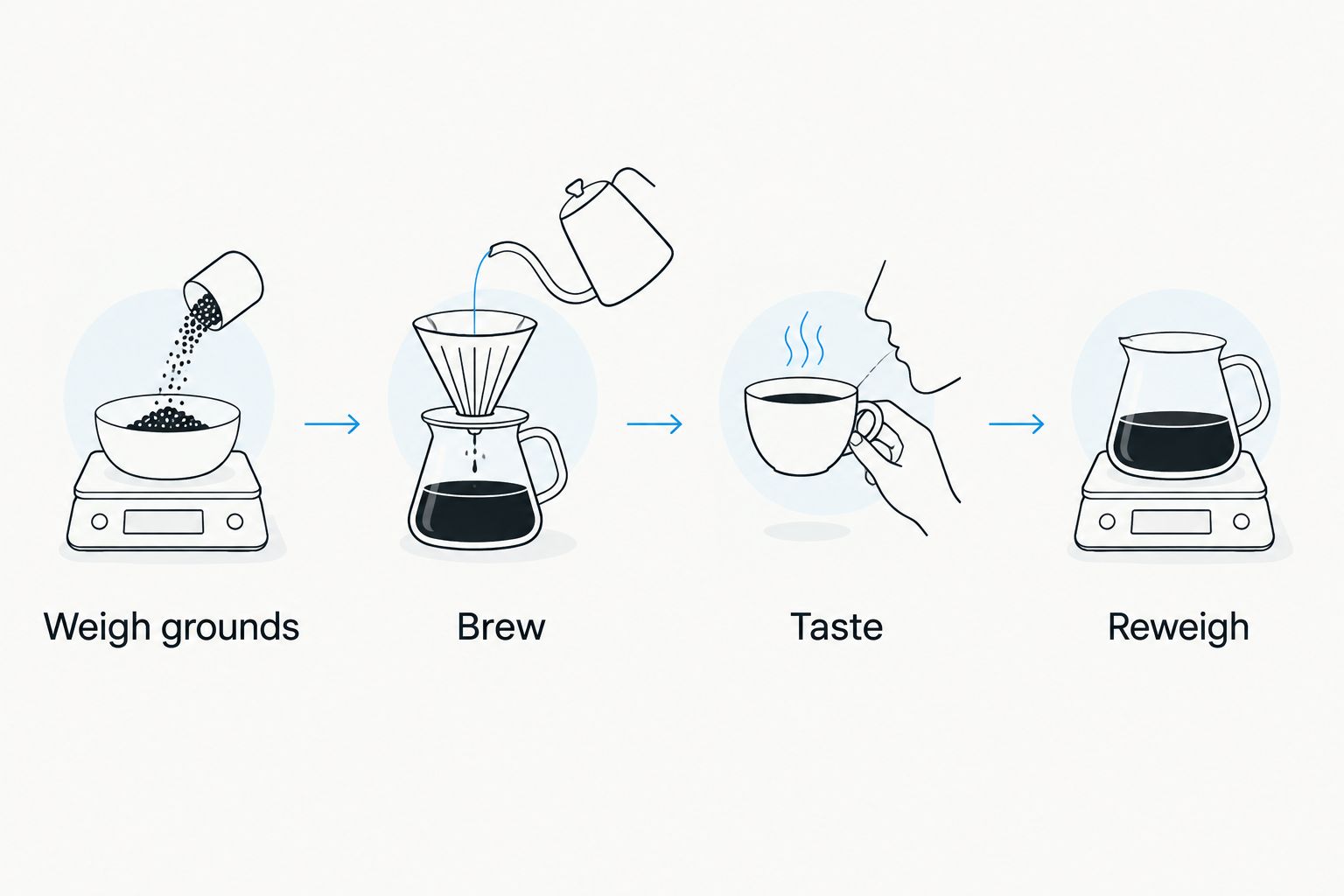
Use the same cup preparation for comparison. Milk and sweeteners change the finished drink, so assess the espresso consistently before deciding whether the grinder adjustment improved it.
Recipe log and daily checks
- Create a note for the current coffee. Record the coffee name, basket, grind setting, dosing method, ground coffee weight, beverage weight, elapsed time, and taste.
- Add the saved grinder preset's identifier if the equipment provides one. Keep the measured dose beside it so the preset has a clear purpose.
- Check the first dose when starting a session. If the weight has changed, correct the dosing setting before changing the brewing recipe.
- Update the note only after a repeatable result. Preserve the earlier entry if you want to compare what an adjustment actually changed.
Your 2026 recipe log does not need an app integration. A paper note or phone note keeps the same information available without depending on wireless pairing.
Write useful taste notes such as bitter finish or thin body, not simply bad. Specific notes tell you whether the next adjustment helped. Record any change in basket or preparation alongside the grinder setting.
Expected result: you can return to a recipe with enough context to reproduce it. You also know when a saved preset needs checking instead of assuming that yesterday's duration guarantees today's dose.
Reset the workflow whenever you change beans
A new coffee is an adjacent workflow, not a reason to start every setting from scratch. Keep the basket and preparation consistent, then check what the new beans change.
- Remove the previous coffee using the grinder's documented procedure. Clear retained grounds as instructed so your first assessment is not dominated by leftover coffee.
- Load the new beans and begin near the previous espresso setting. Treat it as a starting point only.
- Measure the ground dose before brewing. Reset the timer or weighing setup if needed.
- Brew to your recorded starting beverage weight, taste, and adjust grind size as required.
- Save a separate recipe entry for the new coffee. Verify the dose again after the final grind adjustment.
Best for frequent bean switching: a separate recipe note for each coffee. The advantage is a useful starting point when you return to a bag; the limitation is that older settings still need verification.
Cinder and Cedar Coffee Roasters coffee belongs in this bean-selection step, while equipment instructions govern the grinder. Keep those decisions separate so a coffee change does not become an assumed software connection.
Troubleshooting
The saved timer delivers a different dose
Check whether you changed grind size, beans, or the way you collect the grounds. Weigh a fresh dose and recalibrate the duration. Do not change the basket dose simply to match an inaccurate preset.
The grinder's weight disagrees with the separate scale
Check container placement, zeroing, and calibration using the equipment manuals. Make sure neither container touches a surrounding surface. Weigh the collected grounds before accepting the displayed result.
Espresso runs fast despite the correct dose
Check grind size and puck preparation. Uneven distribution can create easier paths through the coffee, so a fast shot does not prove that the dose is too small. Repeat with consistent preparation before making several changes.
The basket overfills or the portafilter is difficult to lock
Stop and check basket capacity and machine instructions. Reduce the dose to a suitable amount rather than forcing the portafilter. Reset the grinder preset to match that revised recipe.
Wireless pairing fails or a connection is unavailable
Confirm that the manufacturer supports the intended connection and follow its pairing instructions. Continue with manual presets and a recipe note when local controls permit it. Do not create an automatic grinding routine that bypasses the equipment's safety instructions.
Customize your workflow
Improve one part of the routine at a time. Once dose is repeatable, compare beverage weight or coffee choice while holding the rest of the recipe steady. That gives each change a clear purpose.
For coffee selection, use the guide to espresso beans for home baristas. Start with the aroma, body, and finish you want in the cup, then measure how that coffee behaves in your setup.
Make your 2026 workflow fit how you actually drink coffee. If you mainly make milk drinks, assess the final recipe with your usual milk preparation after establishing a consistent espresso base. Keep separate notes for changes that genuinely matter.
FAQ
What's the best smart grinder espresso beans dose?
The best dose is one that fits your basket's recommended range and produces a cup you enjoy. An 18 g dose is a starting example for a suitable basket, not a universal setting.
Can I sync my grinder directly with my espresso machine?
Direct syncing requires a connection supported by the equipment manufacturer. You can coordinate dose, grind setting, and beverage weight manually without a wireless connection.
Is timed grinding as accurate as weighing the grounds?
Timed grinding measures duration, while a scale measures the grounds you collect. Verify a timed preset by weight, especially after changing beans or grind size.
Should I weigh beans before grinding or grounds afterward?
Weigh the grounds that enter the basket to verify the espresso dose. For single dosing, weigh the beans beforehand too, because retained grounds or transfer losses can separate input weight from basket weight.
Do I need a new grinder setting for every bag of beans?
Check the dose and shot whenever you change coffee, but do not assume every bag needs a completely different setting. Start with a previous recipe, measure the result, and adjust from there.
Why did my espresso get worse after changing the grind?
A grind change can alter both the brewing behavior and the weight delivered by a timed preset. Recheck the basket dose, then compare shots with consistent preparation and beverage weight.
Can I put flavored coffee in my smart grinder?
Use flavored coffee only when your grinder manufacturer's instructions permit it. Follow the documented bean restrictions and cleaning procedure rather than assuming compatibility.
One last thing
The grounds in the basket are the dose; the beans in the hopper are not. A saved timer, weighed bean portion, or grinder display is useful only when it matches what reaches the basket. Before replacing equipment to fix inconsistent espresso, check that handoff.